
The best tablets of 2026, tested and reviewed, from Apple, Amazon, Lenovo and more.
Most modern tablets are quite good. A few stand out as better than the rest. Phone = good. Tablet = maybe even better? I'm not saying I'll die on this hill, but I'll debate it here: Sure, your phone slips nicely into a pocket, but a tablet's larger screen opens the door to a lot more fun and productivity — I'm talking gaming, streaming, e-reading, video chatting, doodling, note-taking and more. Add a few key accessories and you might even be able to retire your laptop. Amazon has solid budget-friendly options, Apple delivers top-tier models and several companies offer strong Android contenders. Prices range from under $100 to well over $1,000 if you go all-in with the extras. So how do you choose the best tablet for your needs and budget?
In this story Quick Overview Image for the mini product module Best tablet overall Apple iPad (A16), 128GB, Wi-Fi $299 at Amazon Image for the mini product module Best budget tablet Amazon Fire HD 8 tablet (2024) $130 at Amazon Image for the mini product module Best budget Android tablet Lenovo Idea Tab 11 $213 at Amazon Image for the mini product module Best tablet for students Apple iPad Air (M4) $559 at Amazon Image for the mini product module Best tablet for kids Amazon Fire HD 8 Kids $140 at Amazon See 2 more Start by asking yourself how you intend to use it. For example, are you looking for something that's good for work as well as play? A tablet for writing or note-taking? How about a tablet a child can use for games and learning? Or maybe even a tablet designed for older users? Good news: If you have a specific use case, there's probably a tablet that's a perfect fit. And even if you don't, most tablets are so versatile, they can handle just about anything.
Side note: Your next tablet might also be your phone. Last year's Google Pixel 10 Pro Fold earned high marks, and the hot new Samsung Galaxy Z Trifold may just be a game-changer. (There's also a heavily rumored new iPhone that will unfold into a tablet.) Because who wouldn't want a full-size screen that could fold up to ride in your pocket? Stay tuned as we look to include these and other models in future updates.
For the record, I've been in the technology-reviewing business for [checks calendar and grimaces] nearly 35 years. In that time, I've tested and reviewed nearly every major tablet to hit the market. With that in mind, let's take a look at some of the best tablets you can buy right now.
Best tablets for 2026 Image for the large product moduleRick Broida/Yahoo Best tablet overall Apple iPad (A16), 128GB, Wi-Fi Screen size: 10.9 inches | Storage: Starts at 128GB | Rated battery life: 10 hours | Connectivity: Bluetooth, Wi-Fi, optional 5G cellular) | Warranty: 1 year
The best iPad (based on our evaluations of all four current models) is also the best tablet for most people, period. Give Apple credit for crafting something that really stands out against the competition.
Now named for its processor (instead of its generation), the iPad (A16) employs the same stunning Liquid Retina screen as its predecessor. Indeed, to look at this year's model is to see last year's; they're physically identical, including the four color choices — blue, pink, silver and yellow — and they're able to use the impressive Apple Pencil stylus (sold separately, of course).
The two notable changes are internal: The A16 chip (which Apple says delivers "a big jump in performance") and the 128GB of storage in the base model. That's double the amount in the 10th-gen iPad, yet Apple kept the starting price at $349. That's an unexpected and pleasant surprise. (Side note: You might think the smaller iPad Mini would be the "budget" iPad to pick, but it starts at $499.)
So the new iPad is faster and has twice the storage for the same price. It's a ridiculously capable device, more or less on par with an iPhone but with a much larger screen. Granted, I never found the last model to be slow in any way — quite the opposite — so the processor bump doesn't excite me much. The extra gigabytes, however, represent a big win. That's a lot more space for games, movies, recorded videos and the like.
Of course, you still have the option of adding cellular to the mix, though it adds a hefty jump ($150!) to the price of whatever model you choose. There's also the monthly cost of cellular service, but that's to be expected. Very few competing tablets offer this capability at all.
There's one fairly surprising thing missing from the iPad (A16), and that's Apple Intelligence. This integrated suite of AI tools can summarize e-mails, improve your writing, generate custom images and more; it also includes an upgraded Siri.
That makes this the only current Apple device (with a screen) to lack the company's next-gen smarts. That said, some would argue Apple Intelligence — in its current, not-fully-realized form, anyway — is nice to have, but hardly essential.
I'm in that camp -- but either way I wholeheartedly recommend this iPad. It's beautiful to look at, affordably priced and arguably more versatile than any competing tablet.
Pros Double the storage for same price as previous model Faster processor Unrivaled selection of apps and accessories Cellular option available Cons Still doesn't support Apple Intelligence $299 at Amazon Image for the large product moduleRick Broida/Yahoo Best budget tablet Amazon Fire HD 8 tablet (2024) Screen size: 8 inches | Storage: Starts at 32GB (expandable) | Rated battery life: 13 hours | Connectivity: Bluetooth, Wi-Fi | Warranty: 90 days
The Fire HD 8 isn't the sexiest tablet in town, but it delivers incredible bang for the buck — especially when it's on sale (which is often).
Indeed, although Amazon lists it at $100, you can frequently find the Fire HD 8 marked down to the $60 range (give or take $5).
Whatever price you pay, there's an embarrassment of tablet riches to be found here. The Fire HD 8 features a sharp display — iPads offer more pixels, but trust me when I say you won't notice in most apps — and something you can't get from any iPad model: expandable storage. If you fill up the included 32GB, just pop in an inexpensive MicroSD card for up to 1 terabyte more.
Other Fire perks: dual speakers, hands-free Alexa+ voice controls for your smart home ecosystem and support for something called Show Mode, which effectively turns the tablet into a poor man's Echo Show 8. A relatively recent software update added a few AI-powered features, including a writing assistant that proofreads and polishes email, notes and other documents.
Is it perfect? Not quite: The front and rear cameras are pretty low resolution — fine for Zoom calls and such, but not great for shooting photos and video. I also don't love Amazon's short warranty, which expires after just 90 days. And it runs something called Fire OS, an Android variant with an interface that's less than intuitive compared to iPad and stock Android. Amazon's Appstore has a few notable app omissions, too. (Thankfully, a more traditional Android operating system is expected sometime in 2026.)
Still, if you're primarily looking to consume entertainment — books, music, movies and TV, games and so on — this is an incredible deal, especially if you pick up a pair of great noise-cancelling headphones to go with it.
Read our complete Fire HD 8 (2024) review to learn more.
Pros Inexpensive, and frequently discounted Some interesting AI features Expandable storage Hands-free Alexa voice assistant Solid battery life Wired headphone jack Cons Few updates in the 2024 edition High-glare screen attracts lots of fingerprints Amazon's app store not as robust as Google Play Interface needs work $130 at Amazon Image for the large product moduleRick Broida/Yahoo Best budget Android tablet Lenovo Idea Tab 11 Screen size: 11 inches | Storage: 128GB (expandable) | Rated battery life: 12 hours | Connectivity: Bluetooth, Wi-Fi | Warranty: 1 year
Reading the spec sheet for the Lenovo Idea Tab 11 , I'm convinced I'm looking at a premium tablet, not a budget one. But with a price tag that's currently hovering around $180 (and often discounted to $160), the budget part is definitely accurate. And that includes both the Lenovo Tab Pen and Folio Case, meaning you can scribble notes and drawings right out of the box.
As for what's premium about it, start with the spacious 11-inch screen: 2.5K resolution, bright, vivid, gorgeous. It's flanked by four speakers outfitted with Dolby Atmos and fronted by an 5-megapixel camera that can not only capture selfies, but also use facial recognition to unlock the tablet. I find that highly preferable to tapping out a code or using a fingerprint reader.
The rear camera tops out at 8 megapixels, which isn't great by any means — but good enough for a budget tablet. And although it had a bit of difficulty focusing in low light, I was pleasantly surprised by the overall quality of the photos.
Meanwhile, you get an impressive 128GB of storage for photos, videos, apps and the like, and it's expandable thanks to a microSD slot.
I tested Lenovo's stylus with the bundled Nebo note-taking app and was impressed by how smoothly the digital ink flowed and how well handwriting-to-text conversion worked. However, as with most tablets, the screen is almost too smooth; note-taking feels slippery without the bit of grit afforded by the best writing tablets.
The good news is this tablet is faster than its predecessor, the slightly laggy M11. It's still not quite up to the silky-smoothness you get from, say, Apple's iPad, but definitely sufficient for everyday tablet tasks.
On the whole, this is an impressive budget tablet, especially for anyone who wants a pen in the mix.
Pros Big, beautiful high-resolution screen Bundled pen for notes, drawing Can unlock using facial recognition Expandable storage Great speakers Cons Rear camera could be better Performance can lag a bit with lots of apps running $213 at Amazon Image for the large product moduleApple Best tablet for students Apple iPad Air (M4) Screen size: 11 or 13 inches | Storage: Starting at 128GB | Rated battery life: 10 hours | Connectivity: Bluetooth, Wi-Fi, optional 5G cellular | Warranty: 1 year
Like the iPad (A16), the iPad Air is now also known by its processor-based suffix. The M4 is, unsurprisingly, faster than its M3 predecessor, though it's harder to quantify any real-world advantages; the older model was already plenty fast (as was the M2 before it). You do get a decent RAM bump -- 12GB, up from 8GB -- and a step up to Wi-Fi 7 from Wi-Fi 6. But everything else is identical.
That said, we still consider this a top pick for students, and here's why: It's great for note-taking, as it supports the Apple Pencil 2, and it's more affordable than the iPad Pro and weighs just a few grams more. Plus, it delivers more horsepower than the base-model iPad, which could prove helpful for things like coding and design work. It definitely nets you strong multitasking support (courtesy of Stage Manager), something you can't get from the A16 chip.
You also get Apple Intelligence features, which I've found to be of mixed value overall but could certainly help with student-oriented endeavors (writing, editing, etc.). And it's available in both 11- and 13-inch sizes, the latter a nice option as a potential laptop replacement.
$559 at Amazon Image for the large product moduleRick Broida/Yahoo Best tablet for kids Amazon Fire HD 8 Kids Screen size: 8 inches | Storage: Starts at 32GB (expandable) | Rated battery life: 13 hours | Connectivity: Bluetooth, Wi-Fi | Warranty: 2 years
Modern parents, you have it so easy. A single tablet can hold a mountain of children's books, to say nothing of games, movies, educational apps and more. That's especially convenient for long car rides, trips involving airplanes and so on. (My wife and I used to shlep backpacks full of books — not fun.)
At the risk of me gushing, Amazon's Fire HD 8 Kids tablet is a godsend — and better for children than the best iPad in nearly every way. For starters, there's the affordable price: It can be yours for just $140; that's $349 less (!) than Apple's 8.3-inch iPad Mini.
Equally appealing, the Fire HD 8 Kids lives up to its name by arriving in a colorful case that's designed to withstand a lot of abuse from kids. In fact, Amazon backs the tablet with an unparalleled two-year warranty, one that covers accidental breakage. So if Junior sits on, drop-kicks or tries to flush the thing, you're covered.
Meanwhile, Amazon offers a free year of its Kids+ subscription service, which includes unlimited access to age-appropriate books, games, apps, videos and so on. There are front- and rear-facing cameras for fun with photos and video, and baked-in parental controls you can monitor and update remotely.
By the way, if you have older kids (in the 6-12 range), the Fire HD 8 Kids Pro has a more "grown-up"-looking case and more advanced parental controls. In nearly all other respects it's the same, including price and warranty.
Although Amazon offers 10-inch versions of both models, they cost at least $50 more. I don't see much advantage to the slightly larger screen, which will just be heavier and harder for little hands to hold.
I do consider the Fire HD 8 Kids a slam-dunk product, without question the best tablet for children.
Pros Comes with child-proof case 2-year worry-free warranty Often on sale Includes 1-year Amazon Kids subscription Cons No YouTube app Performance lags at times $140 at Amazon Image for the large product moduleRick Broida/Yahoo Best tablet for seniors GrandPad Screen size: 8 inches | Storage: 32GB | Rated battery life: 1-3 days | Connectivity: Bluetooth, Wi-Fi, 4G LTE | Warranty: 1 year
The GrandPad may be getting long in the tooth (just like Granddad, ha), but it's still in a class by itself (also like Granddad) and a top pick for tech-challenged seniors.
That's because it has the most user-friendly interface of any tablet: about 15 preloaded apps, all represented by oversize, clearly labeled icons: Internet, Call, Email, Photos, Radio, Games and so on. They're admirably easy to use, with intuitive buttons for making selections, raising/lowering volume, returning to a previous screen and so on.
Navigation couldn't be simpler; you can't really get lost in the GrandPad's interface by, say, accidentally swiping into a strange menu. The screen itself stays fixed in landscape orientation so there's no confusion about which way to hold the device.
It also comes with a stylus, doubles as a phone and includes live 24/7 support.
But the hardware is on the expensive side, and there's a required monthly service plan as well. Read our complete GrandPad tablet review.
$400 at Amazon Image for the large product moduleRick Broida/Yahoo Best iPad alternative Samsung Galaxy Tab A11+ Screen size: 11 inches | Storage: Starting at 128GB | Rated battery life: 15 hours | Connectivity: Bluetooth, Wi-Fi, optional 5G cellular | Warranty: 2 years
If you prefer Android to iOS and/or you're a Samsung Galaxy phone user, the no-brainer tablet pick is Samsung's Galaxy Tab A11+. Like the iPad (A16), it's an extremely versatile device, one that's equally well-suited to entertainment and productivity. And it's actually more affordable, with a starting price of $249.
That nets you not only an 11-inch screen (with a 16:9 aspect ratio, great for movies) and 128GB of storage (expandable!), but also a battery good for up to 15 hours and a warranty that spans two years instead of just one. Those are impressive specs given the price.
That battery life, measured in hours of video playback, is a whopping 50% above the iPad's, meaning you can binge on movies, games and more for a lot longer here. And speaking of entertainment, the Galaxy Tab's four speakers (spread across both ends) create a much broader soundstage than you get from just two. I just wish they sounded a little better; they're pretty flat overall.
In addition, the screen doesn't quite match the iPad's in terms of color, resolution or viewing angle. And if you want to draw or take notes, you'll have to pick something else; this is one of the few Samsung tablets that doesn't support the S Pen.
It does, however, come in a 5G version, which costs just $30 more than the Wi-Fi-only model. On the iPad side, you'd pay a whopping $150 extra for the cellular option. (Note that you'll also need a service plan.)
This is an easy tablet to use if you're familiar with Galaxy phones, as it effectively replicates many aspects of the user interface -- much the way iPads do with iPhones. Anyone more familiar with "pure Android" experience, however, might struggle in a few areas, like the the toolbar that appears when you swipe up from the bottom (an action that normally takes you back to the Home screen).
In fact, usability is a key reason we're sticking with the iPad as our "best overall" pick -- it's just easier and more intuitive -- but the Tab A11+ runs it a pretty close second. There's a ton of value packed into this tablet.
Pros Priced below the entry-level iPad 16:9 aspect ratio for better TV/movie viewing Expandable storage 50% better battery life than iPad Two-year warranty Cons Speakers sound a little tinny So-so cameras Not compatible with Samsung S Pen $250 at Amazon Other tablets we've tested A photo of the Amazon Fire Max 11 tablet. The Amazon Fire Max 11 has a solid feature set that rivals and occasionally exceeds Apple's pricier iPad 10.9. (Rick Broida/Yahoo) Amazon Fire Max 11: Amazon's biggest and best tablet to date offers many of the same features and capabilities as the base-model iPad, which costs around $100 more, and provides expandable storage to boot. Read our complete Amazon Fire Max 11 review if you want to learn more — but note that the model hasn't been updated since 2023.
iPad Mini (A17 Pro): You'd think a small iPad would cost less than a larger one, right? Yet Apple's iPad Mini still starts at $499. Yes, it has a slightly faster processor than the iPad (A16)'s, but for some shoppers that won't be enough to justify such a disparity. Make no mistake, I love the Mini's design and portability — it's cute as hell and easier to hold for long stretches — but I'd feel a little ripped-off paying $499 when Amazon's similarly sized Fire HD 8 is only $100.
iPad Pro 11 and 12.9: I expected more from Apple's flagship tablet with its fancy M5 processor and OLED screen — though I don't know exactly what more, because previous Pros were already pretty great (and less expensive). But if you're breaking open the piggy bank just for the screen, don't. I've looked at it alongside the baseline iPad and noticed very little difference in color, clarity, vibrance or detail. (Eagle-eyed photographers, videographers or artists may feel differently.) Apple's optional Magic Keyboard is excellent, no question, but this is a "best tablet" only if money is no object. (If you want many of the Pro's features at a lower price, take a look at the iPad Air M4, above, which delivers the bulk of the features of the previous iPad Pro model at a more affordable cost.)
Microsoft Surface Pro Copilot+: If you want a tablet that can also run Windows applications, Microsoft's Surface Pro is worth a look. It sports a powerful new processor, an impressive touchscreen OLED display and Microsoft's trademark built-in kickstand. But it's expensive and not too useful without a keyboard, which adds hundreds more to the cost. (The cool new Flex Keyboard, which works either attached or detached, runs a jaw-dropping $320.) I'll admit I've never fully understood the appeal of the Surface tablets, pricey and limited such as they are, but this AI-enhanced model is arguably Microsoft's best yet.
Factors to consider when choosing a tablet Before you pull the trigger on a new tablet, be sure you know what you're getting. These are the most important features to keep in mind:
Three tablets of different sizes One size doesn't always fit all: The Fire HD 8, iPad 10.9 and iPad Pro 12.9. (Amazon, Apple [2]) Size: Tablets typically range from 7 inches up to 13. I think a 10-inch screen tends to be the sweet spot, though it really depends on how you plan to use the device. If you're looking to get some work done or watch a lot of movies, a bigger screen is always better. But that also bumps up the weight and price. If you can, visit a local store that sells tablets and see what size feels most comfortable to you.
Storage: It's hard to know how much you'll need. Movies consume a fair bit of space, but only if you download them for offline viewing (like on an airplane). If you're just streaming, they take no space at all. Games and recorded videos can also eat up gigabytes. Thankfully, most Amazon tablets and some Android models let you expand the available space by popping in an inexpensive memory card. But iPads have fixed storage, so if you're concerned about running out, plan on spending extra up front to get more space.
Essential apps: If there are programs you consider must-haves, whether for work or play, don't buy a tablet until you're sure it's compatible with them. For example, Amazon's Appstore for Fire tablets lacks a smattering of key ones, including 1Password, Slack and YouTube. And Microsoft's Surface tablets can run standard Windows software, but the Microsoft Store has only a fraction of the popular apps available to Android and iPad users.
Connectivity options: All tablets can connect to Wi-Fi networks to download apps, stream video and so on. If you'll mostly be using yours at home or work, that should be sufficient. But if you want something you can use out in the world, where Wi-Fi isn't available (think: road trips, job sites, etc.), consider a tablet that has cellular 4G or 5G capabilities. That'll allow it to connect to mobile networks, just like your phone does. (That said, it's typically easier and cheaper to use your phone as a Wi-Fi hotspot. You won't need to spend extra on the tablet itself, nor will you need a separate line of service for it.)
Battery life: Most of the tablets here tout an "all-day battery," meaning you should be able to use it for at least 10 hours before returning to the charger. Obviously there are lots of variables that affect battery life, everything from screen brightness to the kinds of apps you use, but the good news is you can plug in a power bank — most likely the same one you use to juice your phone — if you need a top-up when traveling.
Warranty: One year is standard, but some of Amazon's Fire HD tablets are covered for just 90 days. (On the flip side, the Fire HD Kids models come with comprehensive two-year plans.) What can go wrong with a tablet? Not much, but there's always the possibility of battery failure or a bad charging port. Amazon offers extended warranties that might be worth considering; adding two years of coverage to the Fire HD 8, for example, costs just $13.
Stylus support: Any tablet here can work with a stylus, but not all styli are created equal. Some are good for little more than taking the place of a finger tap or swipe. Let me make a blanket statement about this: If your goal is to create art or capture notes, there's no better option than an iPad and Apple Pencil. (But Lenovo's P11 Tab bundle runs it a close second.)
How we test tablets My selections above are based on a variety of factors, including price, features and, of course, personal experience. I tested them in all the ways you'd expect: playing games, watching videos, reading books, joining Zoom calls and so on. Where applicable, I also tried their keyboards and styluses. Spoiler alert: These are all great tablets; it's hard to make a bad choice.
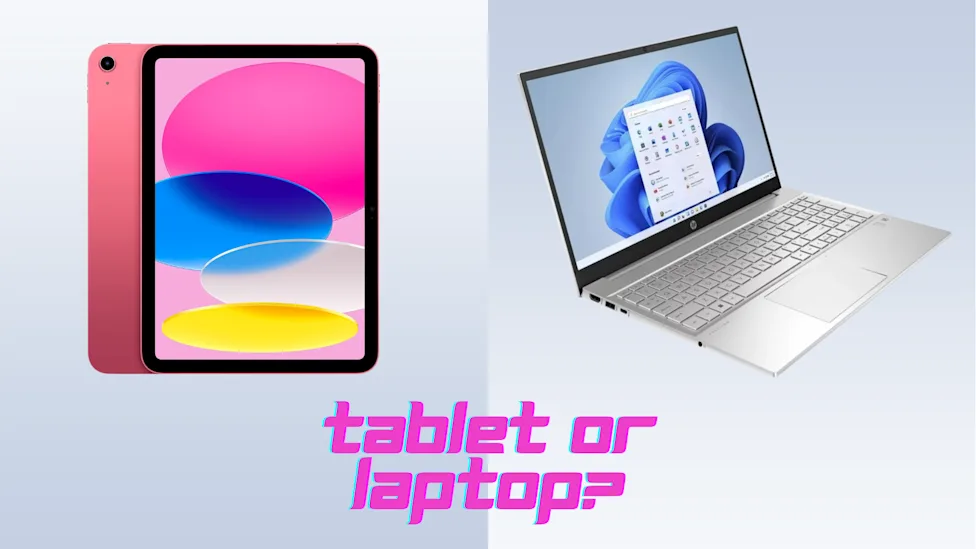
FAQs A tablet alongside a laptop. Can a tablet substitute for a laptop? Theoretically, yes, but there are obstacles to consider. (Rick Broida/Yahoo) Can a tablet replace a laptop? I get this question a lot, and the answer hasn't really changed over the years: Sort of. Virtually any good tablet can pair with a keyboard to allow for word processing and the like, but in many cases you'll be squinting at a smallish screen and tapping on small, cramped keys. Also: Not many tablet-size keyboards are large enough to accommodate a dedicated numeric keypad, something to consider if you work with spreadsheets.
What are some tablet limitations? Software is one: While Android, Fire OS and iOS are capable operating systems, they're not Windows. (They're not Mac OS either.) If you rely on Windows or Mac software even a little, a tablet probably isn't your best bet. And there are certain web-based tools that won't work properly in a mobile browser. So if you're buying a tablet in hopes of getting your work done, make absolutely sure it's compatible with your ecosystem of work tools.
What about Microsoft's Surface tablets, which run Windows? These Windows tablets are quite popular, but I honestly don't see the appeal. They're expensive and don't afford many tablet-y benefits. (Microsoft's app store offers only a fraction of the software available to Android and iOS users.) Plus, the keyboard is sold separately, which once again raises the question: Why not just buy a laptop?
Can you make phone calls on a tablet? Yes. But also no. But also sort of. A traditional phone call requires cell service (think: AT&T, Verizon, etc.), and only a handful of tablets offer that as an option. (Mostly iPads, but you have to choose a "WiFi + cellular" model at the time of purchase, then add a service plan from a carrier.) However, it's possible to make phone calls over Wi-Fi using apps like Google Voice, Skype, TextNow and WhatsApp. In some cases, however, the person you're calling will need to have that same app on their phone (or tablet).
Can you text on a tablet? If it's connected to Wi-Fi, then most likely yes — with some caveats. Apple's iMessage app supports text messaging over Wi-Fi (meaning cell service isn't necessary), though if it's not paired with an iPhone, your messages will rely on iCloud or an e-mail address, not a phone number. That's fine for chatting with other iMessage users, but you may run into trouble texting via SMS, which is phone number- and cell service-dependent.
Google's recently adopted Rich Communication Services (RCS) for its messages app affords similar capabilities on Android tablets, but there are similar limitations here. Check with the tablet maker to find out exactly what messaging options are available.
A good workaround for all of this is to use a third-party messaging app like Facebook Messenger, Google Voice or TextNow, all of which rely on data (Wi-Fi or cellular) rather than a phone number, and can therefore make tablet texting easier. Just keep in mind that whoever you're texting will need to have the same app.
Best tablets: Specs comparison chart Screen size
Storage
Rated battery life
Connectivity
Warranty
Apple iPad (A16)
10.9 inches
Starts at 128GB
10 hours
Bluetooth, Wi-Fi, optional cellular
1 year
Apple iPad Air (M4)
11 or 13 inches
Starts at 128GB
10 hours
Bluetooth, Wi-Fi, optional cellular
1 year
Amazon Fire HD 8 tablet (2024)
8 inches
Starts at 32GB (expandable)
13 hours
Bluetooth, Wi-Fi
90 days
Amazon Fire HD 8 Kids tablet (2024)
8 inches
Starts at 32GB (expandable)
13 hours
Bluetooth, Wi-Fi
2 years
GrandPad
7 inches
32GB (expandable)
1-3 days
Wi-Fi, 4G
1 year
Samsung Galaxy Tab A11+
11 inches
128GB (expandable)
15 hours
Bluetooth, Wi-Fi, optional cellular
Update, May 14, 2026: We checked all product prices and availability. Our number-one pick remains the same. We removed the Lenovo Tab M11, our previous best budget Android tablet, and replaced it with the newer, better Idea Tab 11. We are constantly road-testing new tablets and will update this story again with the results.


Comments (0)